COMPARISON · 2026
Yodeck vs OptiSigns vs DisplayNex: An Honest 2026 Comparison
By DisplayNex · 10 min read · Updated August 2026
If you're shopping for digital signage software, three names keep coming up: Yodeck, OptiSigns, and DisplayNex. All three run menus and promotions on your screens from the cloud. But they're built for different buyers, priced differently, and make different trade-offs on hardware.
This is a straight comparison written to help you choose — not a sales pitch dressed up as a review. We'll be upfront about where each tool is strongest, including where the others beat us.
The Short Answer
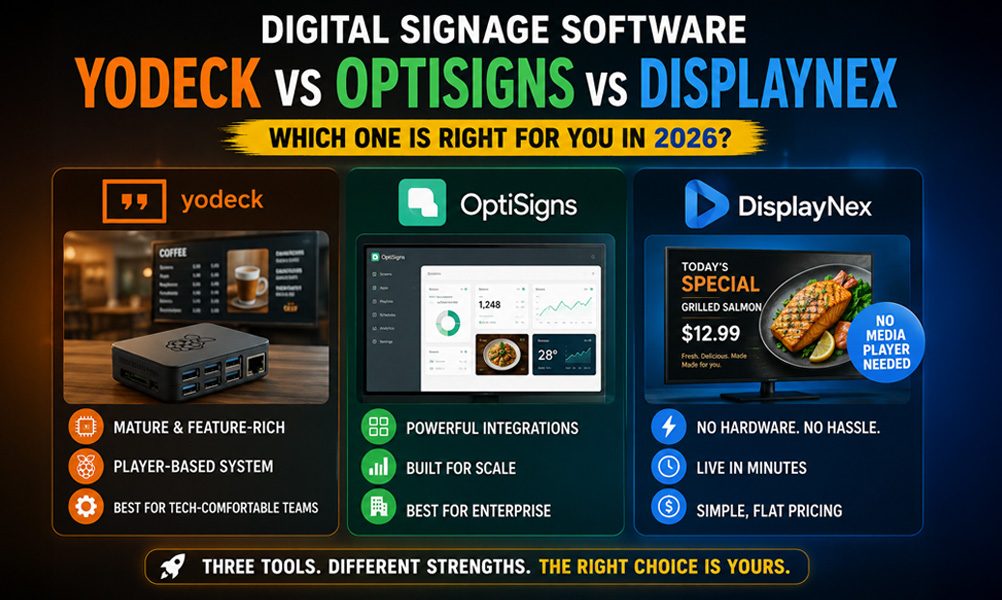
- Choose Yodeck if you want a mature player-based system and don't mind buying or configuring a Raspberry Pi per screen.
- Choose OptiSigns if you need deep app integrations and enterprise features, and you're comfortable with per-screen pricing that climbs with add-ons.
- Choose DisplayNex if you run a café, salon, clinic, or small retail business and want the simplest possible setup — no media player, low flat pricing, live in minutes.
Side-by-Side at a Glance
| Feature | Yodeck | OptiSigns | DisplayNex |
|---|---|---|---|
| Starting price / screen | ~$8/mo | ~$10/mo | $9.99/mo |
| Media player needed | Yes (Raspberry Pi) | Optional | No — browser only |
| Setup time | Moderate | Moderate | Minutes |
| Best for | Tech-comfortable teams | Enterprise / integrations | Small hospitality & retail |
| Free trial | Free single-screen tier | 14 days | 14 days, no card |
Prices and plans change often — always confirm current figures on each vendor's site before deciding. You can see ours anytime on the DisplayNex pricing page.
Yodeck: Mature, but Tied to Hardware
Yodeck is one of the most established names in the space and has a loyal following. Its strength is a polished, feature-rich platform with strong scheduling and layout tools.
The trade-off is hardware. Yodeck is built around a media player — typically a Raspberry Pi — for each screen. For a single display that's manageable, but across several screens it means more devices to buy, configure, and maintain.
If you're comfortable with a bit of setup and want a proven system, it's a solid pick.
OptiSigns: Powerful, Priced for Scale
OptiSigns leans toward larger deployments and businesses that need integrations — pulling in data from apps, dashboards, and third-party sources. Its app library is extensive.
That power comes with complexity and cost. Core pricing is competitive, but the features many businesses actually want often sit in higher tiers or paid add-ons, so the real monthly figure can climb.
It's a strong fit for enterprises; it can be more than a small café or salon needs.
DisplayNex: Built for Small Businesses That Want It Simple
DisplayNex takes a deliberately different path. There's no media player — your content runs through the browser already built into your Smart TV, Fire Stick, or Android TV.
You upload menus or promos, get a secure display URL, open it on the screen, and you're live. Most people are running in about ten minutes.
Pricing is flat and transparent at $9.99/month per screen, with no setup fees, no per-player licences, and no contract. That makes the total cost predictable as you add screens — which is exactly what a growing hospitality or retail business wants.
Where DisplayNex wins: no hardware to buy, the fastest setup of the three, and pricing you can read off the page without a sales call.
Where it doesn't: if you need deep enterprise integrations or complex multi-zone layouts, a heavier platform may suit you better.
Which Should You Pick?
Match the tool to your business, not to a feature checklist you'll never fully use:
- Running a café, restaurant, salon, clinic, or shop with a handful of screens? DisplayNex is the fastest and cheapest to get live.
- Have an in-house tech person and want a proven player-based system? Yodeck is worth a look.
- Need enterprise integrations across many locations? Evaluate OptiSigns.
The good news: all three offer free trials, so you can test before committing. See how different industries use DisplayNex to picture it in your own venue.
Try the Simplest Option First
No media player. No credit card. Live in about ten minutes.
Frequently Asked Questions
Is DisplayNex cheaper than Yodeck or OptiSigns?
Pricing is close at the entry level for all three, but DisplayNex avoids two hidden costs — media player hardware and paid add-ons — so the total is often lower, especially across several screens.
Do I need a Raspberry Pi with DisplayNex?
No. Unlike a player-based system, DisplayNex runs through the browser already on your Smart TV, Fire Stick, or Android TV, so there's no extra hardware to buy or configure.
Can I switch from Yodeck or OptiSigns easily?
Yes. Because DisplayNex needs no special hardware, switching is mostly re-uploading your content and opening the new URL on each screen. Most businesses migrate in an afternoon.
Which is best for a small café or salon?
For most small hospitality and retail venues, DisplayNex is the quickest to set up and the most predictable to budget for, with flat per-screen pricing and no contract.
Do all three offer free trials?
Yes. Yodeck has a free single-screen tier, OptiSigns offers a 14-day trial, and DisplayNex offers 14 days free with no credit card required.