PRICING · 2026
How Much Does Digital Signage Cost in 2026? A Real Pricing Breakdown
By DisplayNex · 8 min read · Updated August 2026
Search “how much does digital signage cost” and you'll get answers ranging from almost nothing to eye-watering. Both are technically true — because “digital signage” covers everything from a café menu on a Smart TV to a stadium video wall.
The trick is knowing which parts you actually need to pay for, and which are legacy costs vendors bundle in out of habit.
This breakdown covers the four real cost drivers, realistic 2026 price ranges, and the fees that quietly inflate a quote.
The Four Things You Actually Pay For
Every digital signage setup breaks down into the same components. Understanding them lets you compare quotes honestly instead of guessing.
- Software — the platform that stores your content, schedules it, and pushes it to screens. Usually a monthly subscription per screen.
- The screen — a TV or commercial display. You may already own this.
- The player — hardware that drives the content onto the screen. Increasingly optional, as we'll explain.
- Content and setup — designing your menus or graphics, and getting everything installed.
1. Software: The Monthly Subscription
This is the recurring cost, charged per screen. It's where the biggest spread lives.
| Tier | Price Per Screen / Month | What You Get |
|---|---|---|
| Budget / SMB | $8 – $30 | Cloud dashboard, uploads, scheduling, auto-refresh |
| Mid-market | $30 – $80 | User roles, templates, integrations, analytics |
| Enterprise | $80 – $300+ | Advanced control, SLAs, custom deployment |
For a café, salon, clinic, or retail store showing menus and promotions, the budget tier does everything you need. DisplayNex starts at $9.99/month for one screen and scales up from there — no setup fee, cancel anytime.
Watch for per-screen inflation. A plan that looks cheap for one screen can balloon across five. Always multiply the per-screen price by the number of displays you actually plan to run.
2. The Screen: Often $0 If You Already Have a TV
You don't need a specialised commercial display to start. A consumer Smart TV works perfectly for most menu boards and promotional screens.
| Option | Typical Cost | Best For |
|---|---|---|
| Consumer Smart TV | $300 – $800 | Most cafés, salons, offices — many already own one |
| Commercial Display | $800 – $3,000+ | 24/7 use and bright rooms — overkill for small venues |
If the screen is already on your wall, this line item is zero. That alone can make digital signage far cheaper than the quotes suggest.
3. The Player: Increasingly $0
This is where old-school signage quietly runs up the bill. Traditional vendors sell a dedicated media player for every screen — typically $100 to $500 each, sometimes with its own licence fee on top.
Cloud platforms remove this entirely. Because your content runs through the browser already built into your Smart TV, Fire Stick, or Android TV, there's no separate box to buy.
A browser-based approach turns a piece of hardware you'd otherwise pay for into a free one. For a five-screen rollout, skipping the players alone can save $500–$2,500 up front.
4. Content and Setup: From Free to a Designer's Fee
You can create menu boards yourself in Canva or a similar tool for nothing, or pay a designer a one-off fee for a polished set of templates.
Setup on a cloud platform is usually self-service — upload, drag to order, done — so professional installation costs only apply to complex multi-screen or ceiling-mounted jobs.
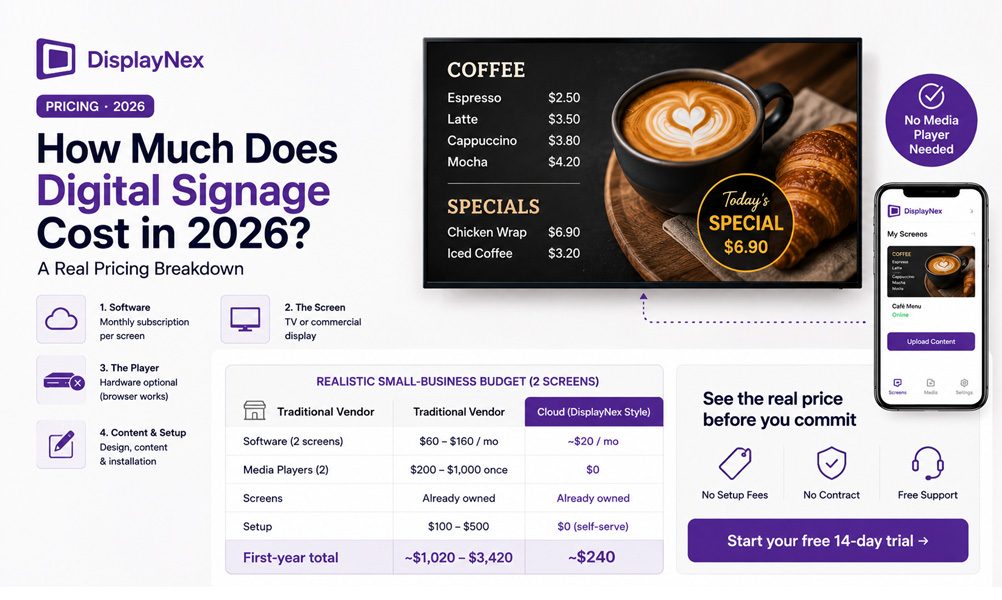
Putting It Together: A Realistic Small-Business Budget
Here's what a typical café or salon running two screens actually spends, assuming they already own the TVs:
| Item | Traditional Vendor | Cloud (DisplayNex Style) |
|---|---|---|
| Software (2 screens) | $60 – $160/mo | ~$20/mo |
| Media Players (2) | $200 – $1,000 once | $0 |
| Screens | Already owned | Already owned |
| Setup | $100 – $500 | $0 (self-serve) |
| First-Year Total | ~$1,020 – $3,420 | ~$240 |
The gap isn't a discount — it's the cost of hardware and setup that a cloud model simply doesn't need.
The Hidden Fees to Ask About
- Setup or onboarding fees — some vendors charge hundreds just to activate your account.
- Per-player licences — a separate charge on top of the software subscription.
- Annual lock-in — contracts that bill for a full year with no monthly option.
- Support tiers — basic help gated behind a pricier plan.
Before you commit, confirm the plan is month-to-month, has no setup fee, and includes support. DisplayNex publishes all of this openly — no quotes, no sales calls.
See the Real Price Before You Commit
Transparent pricing from $9.99/mo. No setup fees, no contract, 14-day free trial.
Frequently Asked Questions
What's the cheapest way to run digital signage?
Use a Smart TV or Fire Stick you already own with a browser-based cloud platform. That removes the two biggest costs — a media player and a commercial display — leaving just a low monthly subscription.
Is there a free digital signage option?
Some platforms offer limited free tiers, but they usually cap screens or features. A better starting point is a genuine free trial — DisplayNex gives you 14 days free with no card required so you can test it fully.
Why are some quotes so much higher?
Higher quotes typically bundle commercial displays, per-screen media players, installation, and enterprise features most small businesses never use. Strip those out and the software cost is modest.
Does the price go up as I add screens?
Yes — signage software is priced per screen, so multiply the per-screen rate by your number of displays. Plans that scale cleanly, without extra player licences, keep multi-screen costs predictable.
Are there long-term contracts?
There don't need to be. Look for month-to-month billing you can cancel anytime, rather than annual lock-in.