Digital Signage for Retail Stores: Sell More From Your Shop Floor
By DisplayNex · 9 min read · Updated August 2026
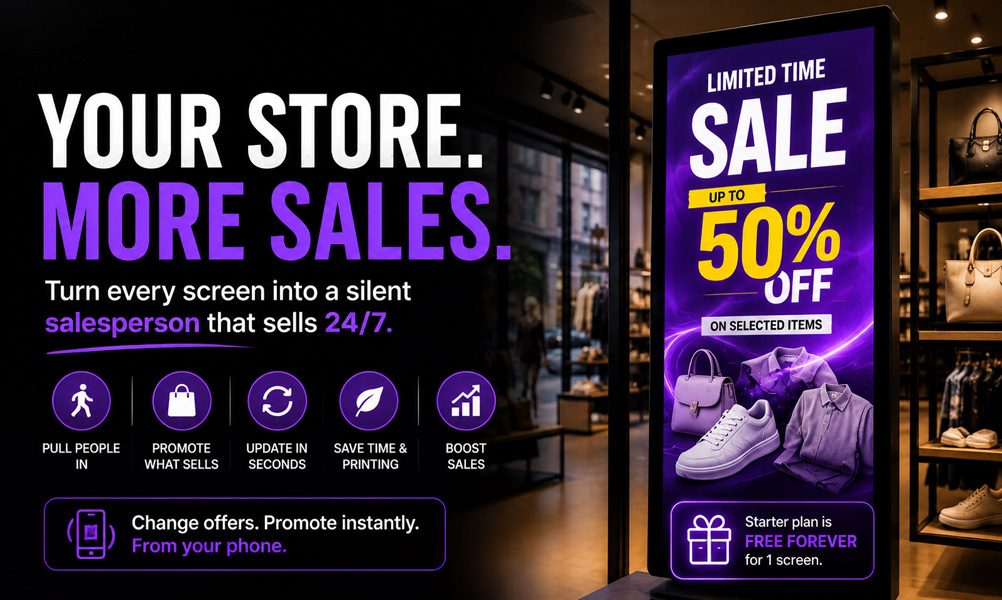
Every screen in your store is a silent salesperson. Used well, it draws people in from the window, highlights the products you want to move, and promotes offers exactly where shoppers decide what to buy — on the shop floor.
This guide covers how retail stores use digital signage to lift sales, what to show, and how to set it up free on a screen you already own.
Why retailers are putting screens on the floor
- Pull people in from the window — a bright, moving display stops foot traffic that a static poster won't.
- Promote high-margin lines — steer attention to the products you most want to sell.
- Change offers instantly — launch a flash sale or update a price across every screen in seconds.
- Reduce printing waste — no more reprinting posters for every promotion or season.
- Look bigger and more modern — crisp screens lift a small shop's whole presentation.
What to show on retail screens
Different zones of the store call for different content. A simple plan:
- Window displays — hero products, seasonal campaigns, and "sale now on" to draw passers-by inside.
- Shop-floor screens — product features, bundles, and "pairs well with" suggestions near related stock.
- Checkout screens — loyalty sign-ups, add-on impulse buys, and current promotions while customers queue.
- Category or aisle signage — highlight new arrivals, best-sellers, or price drops in each section.
Tip: schedule content to the shopping day — promote coffee and grab-and-go items in the morning, dinner or evening lines later — so the most relevant offer is always on screen without staff touching it.
Window displays that stop foot traffic
The window is your highest-value screen. Keep it bold and simple: one clear message, strong product imagery, and motion to catch the eye. A rotating display of your best offers turns window-shoppers into walk-ins — and you can swap the whole campaign from your phone the moment a promotion changes.
What it costs for a retail store
If a screen is already in place, the software is the only real cost. DisplayNex has a Starter plan that is free forever for a single screen, with paid plans from $9.99/month per screen when you add more — no media player, no setup fee, no contract.
| Setup | Up-front cost | Monthly |
|---|---|---|
| TV you already own + DisplayNex | $0 | Free (Starter) or from $9.99/screen |
| New Fire Stick + DisplayNex | ~$40 once | Free (Starter) or from $9.99/screen |
| Traditional player-based system | $200–$500/screen | $8–$80/screen |
Setting up your first retail screen
- Create your free account — the Starter plan is free forever.
- Upload your products and offers and drag them into the order you want shoppers to see.
- Set a schedule so promotions and time-of-day content rotate automatically.
- Open the display URL on your Smart TV, Fire Stick, or Android TV browser — it runs full-screen and stays there.
No special hardware needed. See the full walkthrough on turning any Smart TV into a signage screen, or see how other businesses use DisplayNex.
Turn Your Shop Floor Into a Sales Channel
Use the screen you already own. No media player, free forever Starter plan.
Frequently asked questions
Do I need special hardware for retail signage?
No. Any Smart TV, Fire Stick, or Android TV with a browser runs DisplayNex — there's no media player to buy.
Can I run a window display and shop-floor screens together?
Yes. Each screen has its own channel, so your window can show campaigns while floor screens show products — all managed from one dashboard.
Can I launch a flash sale quickly?
Yes. Update the offer from your phone and every screen refreshes automatically — no reprinting, no staff time.
Will it work across multiple stores?
Yes. Manage every screen at every location from a single login, so a head-office campaign can reach all stores at once.
How much does retail digital signage cost?
There's a Starter plan that's free forever for one screen, with paid plans from $9.99/month per screen when you need more — no setup fee or contract.