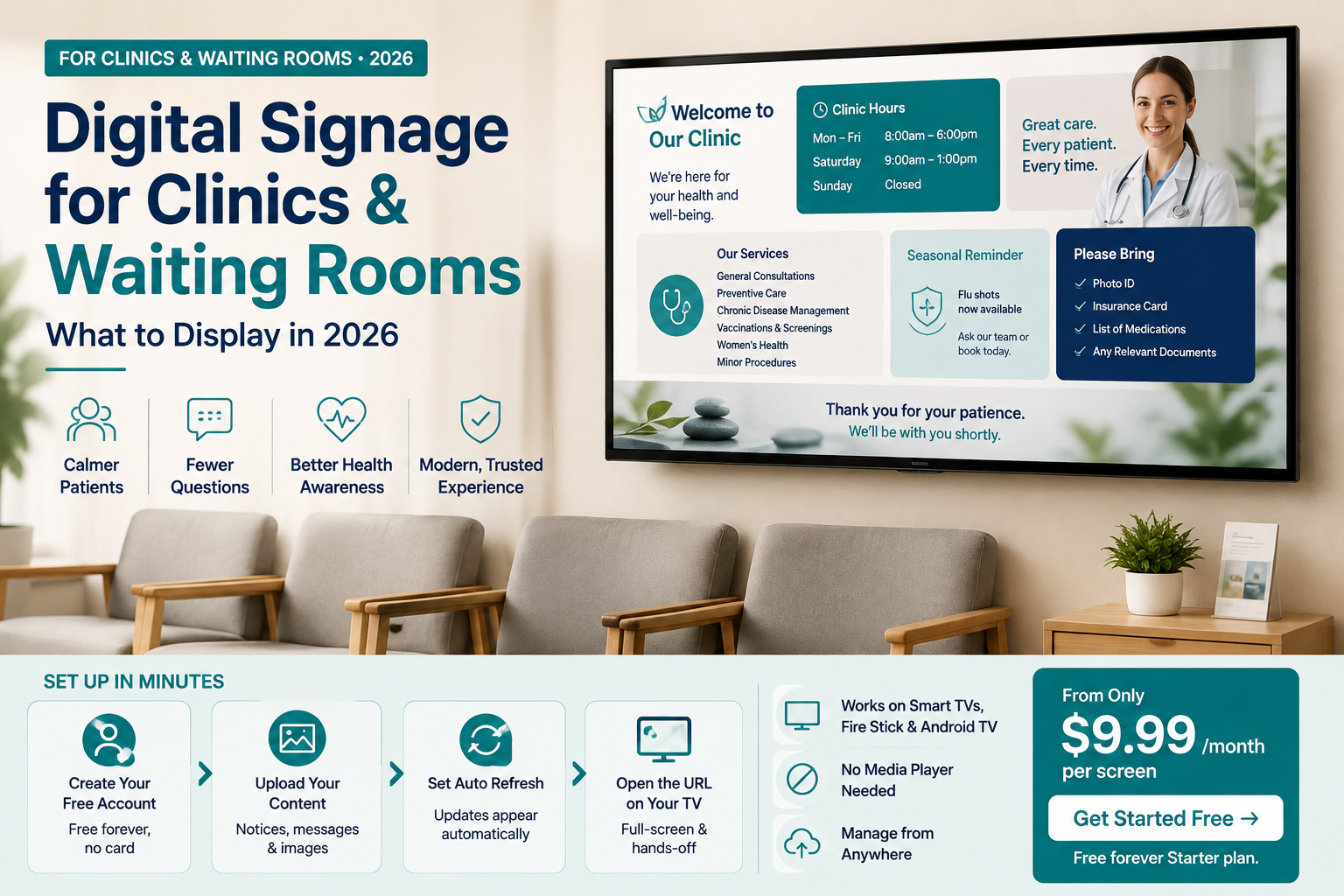
Digital Signage for Clinics & Waiting Rooms: What to Display in 2026
By DisplayNex · 8 min read · Updated August 2026
A waiting room screen does more than pass the time. Done well, it calms anxious patients, cuts repetitive front-desk questions, and quietly promotes the services and health messages you want patients to see — all while they wait.
This guide covers what clinics, dental practices, and medical centres should put on a waiting-room screen, and how to run one with cloud digital signage on hardware you already own.
Why waiting rooms are switching to screens
- Calmer patients — gentle, informative content eases the wait and reduces perceived waiting time.
- Fewer repeated questions — hours, policies, and "what to bring" answered on screen, freeing up reception.
- Better health awareness — seasonal reminders and service info reach patients at the right moment.
- A modern, trustworthy feel — a clean screen signals an organised, up-to-date practice.
What to display in a clinic waiting room
- Clinic hours, holiday closures, and contact details.
- Services offered and how to book or get a referral.
- Seasonal health reminders — flu shots, screenings, wellness checks.
- "What to bring to your appointment" and check-in instructions.
- Meet-the-team profiles to build patient trust.
- Insurance, payment, and billing policies.
- Calming visuals — nature imagery or slow, quiet content between messages.
Keep it calm and clear. Waiting rooms aren't the place for loud, fast slideshows. Use readable text, slower transitions, and soothing visuals — the goal is to inform and reassure, not distract.
A note on privacy and sensitivity
Waiting rooms are shared spaces, so keep everything general — never display individual patient names or details on public screens. Stick to clinic-wide information and health messaging suitable for all ages, since patients of every kind share the room.
What it costs
If a screen is already mounted, the software is the only real cost. DisplayNex starts at $9.99/month per screen with no media player, no setup fee, and no contract — easy to justify for a single waiting-room display.
Setting it up
- Create your free account — free forever, no credit card.
- Upload your notices and health messages and arrange them in a calm rotation.
- Set a gentle refresh so updates appear automatically when you change something.
- Open the display URL on your waiting-room Smart TV or Fire Stick browser — full-screen, hands-off from then on.
Works on any Smart TV, Fire Stick, or Android TV — no dedicated player required. See how other practices and service businesses use DisplayNex.
Set Up Your Waiting-Room Screen Today
Calm, current, and hands-off. No media player, free forever Starter plan.
Frequently asked questions
What should a clinic show on a waiting-room screen?
General clinic information — hours, services, how to book, seasonal health reminders, and calming visuals. Never individual patient details on a shared screen.
Do I need special hardware?
No. Any Smart TV, Fire Stick, or Android TV with a browser runs DisplayNex — there's no media player to buy or maintain.
Can I update notices myself?
Yes. Change hours or health messages from any device and the screen refreshes automatically — no technician needed.
Is it suitable for dental and medical practices?
Yes. Any waiting room benefits — clinics, dental, physio, veterinary, and allied health all use the same simple setup.
How much does waiting-room signage cost?
From $9.99/month per screen, with no setup fee or contract. A single display is enough for most waiting rooms.