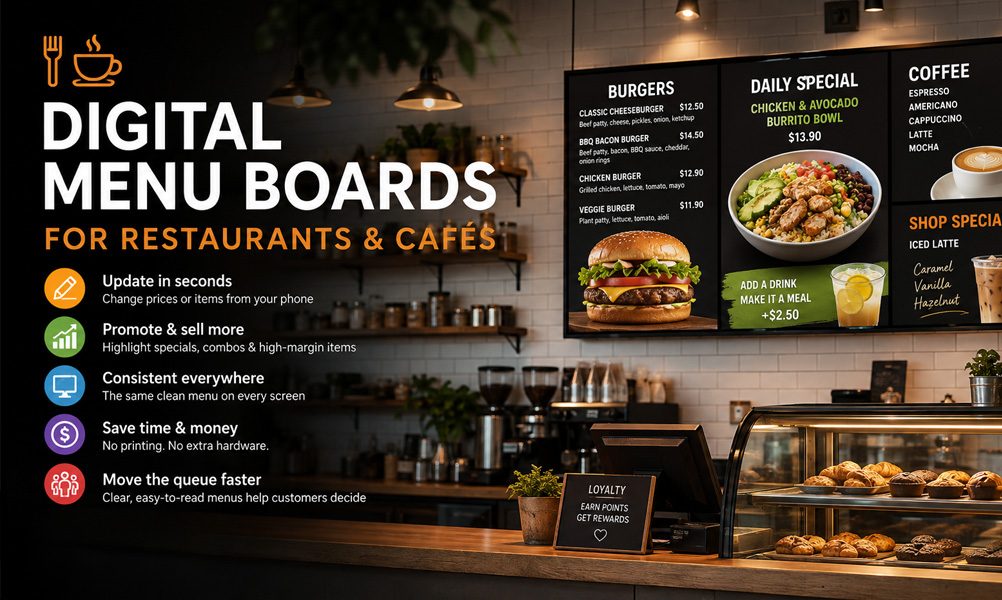
Digital Menu Boards for Restaurants & Cafés: The Complete 2026 Guide

Printed menus go out of date the moment a price changes or a dish sells out. Chalkboards take time to redo and look different at every location. A digital menu board fixes both — you update once, from your phone, and every screen changes instantly.
This guide covers why restaurants and cafés are switching to digital menu boards, what they cost, and how to set one up on a TV you probably already own.
Why restaurants and cafés are switching
- Update prices in seconds — change a price or 86 a sold-out item from your phone; every screen updates at once.
- Push specials that sell — promote high-margin items, combos, and seasonal drinks with bright, appetising visuals.
- Look consistent everywhere — the same clean menu across every screen and every location.
- Cut printing costs — no more reprinting menus every time something changes.
- Move the queue faster — clear, readable boards help customers decide before they reach the counter.
What to put on your menu boards
The best boards do more than list food. A simple rotation keeps things fresh and drives orders:
- Your core menu, grouped by category and easy to scan.
- Daily specials and limited-time offers.
- High-margin upsells — combos, add-ons, and “make it a meal” prompts.
- Seasonal or time-of-day menus, such as breakfast until 11, then lunch.
- Loyalty, events, or “now hiring” messages between menu screens.
Portrait or landscape?
Both work — it depends on your space. Landscape (horizontal) suits a row of screens behind the counter showing your full menu.
Portrait (vertical) fits narrow wall space or window displays promoting specials to passers-by.
With DisplayNex, you can mix both across different screens from one dashboard.
What it costs for a café or restaurant
Less than most owners expect. If your screens are already mounted, the only real cost is the software.
DisplayNex starts at $9.99/month per screen — no media player to buy, no setup fee, and no contract.
A two-screen café typically spends around $20 a month, versus hundreds up front for a traditional player-based system.
| Setup | Up-front cost | Monthly |
|---|---|---|
| TV you already own + DisplayNex | $0 | From $9.99/screen |
| New Fire Stick + DisplayNex | ~$40 once | From $9.99/screen |
| Traditional player-based system | $200–$500/screen | $8–$80/screen |
How to set up your first menu board
-
Start a free trial.
Create an account — 14 days free, no card. -
Upload your menu.
Drag in your menu images or specials and drag to reorder. No design skills needed. -
Set the schedule.
Choose when breakfast, lunch, and specials appear — or keep one board running all day. -
Open the URL on your TV.
Type your display URL or scan the QR code using your Smart TV or Fire Stick browser. The board goes full-screen and stays there.
Works with the screens you already have
No specialised hardware required. Any Smart TV, Amazon Fire Stick, or Android TV with a browser can run your boards.
Running several sites? Manage every screen across every location from one dashboard, making it easy to keep menus, promotions, and pricing consistent across your business.
Give your café a digital menu board today
Use the TV you already own. No media player. No contract. 14 days free.
Start your free 14-day trial →Frequently asked questions
Do I need special hardware for a restaurant menu board?
No. Any Smart TV, Fire Stick, or Android TV with a browser works. DisplayNex runs through that browser, so there's no media player to buy.
Can I change my menu during service?
Yes. Update a price or remove a sold-out item from your phone and every screen refreshes automatically — no need to touch the TVs.
Can different screens show different menus?
Yes. Each screen has its own channel, so you can show the full menu on one and rotating specials on another, all from one dashboard.
Will it work across multiple locations?
Yes. You manage every screen at every site from a single login, so a head-office change can reach all venues at once.
How much does a digital menu board cost per month?
Plans start at $9.99/month per screen with no setup fee or contract. A typical two-screen café spends around $20 a month.